
Start with a readable subject
Use centered objects, simple backgrounds, and full silhouettes so image-to-3D models can infer shape without guessing.
Free online, no sign up required
3D asset workflow
The fastest 3D results come from clean references, the right model lane, and a GLB handoff you can inspect before editing or publishing.
Use centered objects, simple backgrounds, and full silhouettes so image-to-3D models can infer shape without guessing.
Use the pixel-aligned lane for source fidelity, a second reconstruction pass for comparison, and a multi-view lane when front, side, or back references are available.
Review local thumbnails and hosted GLB links before sending the model into a viewer, editor, converter, or product page.

Run these checks before spending credits or handing a model downstream.
Keep the full object visible, centered, and separated from the background.
Pick single image, text prompt, multi-view, or model-to-model input based on the source you have.
Inspect geometry, scale, visibility, normals, and material coverage before publishing.
Keep viewers, converters, and the browser editor close to the generation workflow.
Free browser-based tools
Inspect models, convert local 3D files, and prepare source images in the browser before upload or handoff.
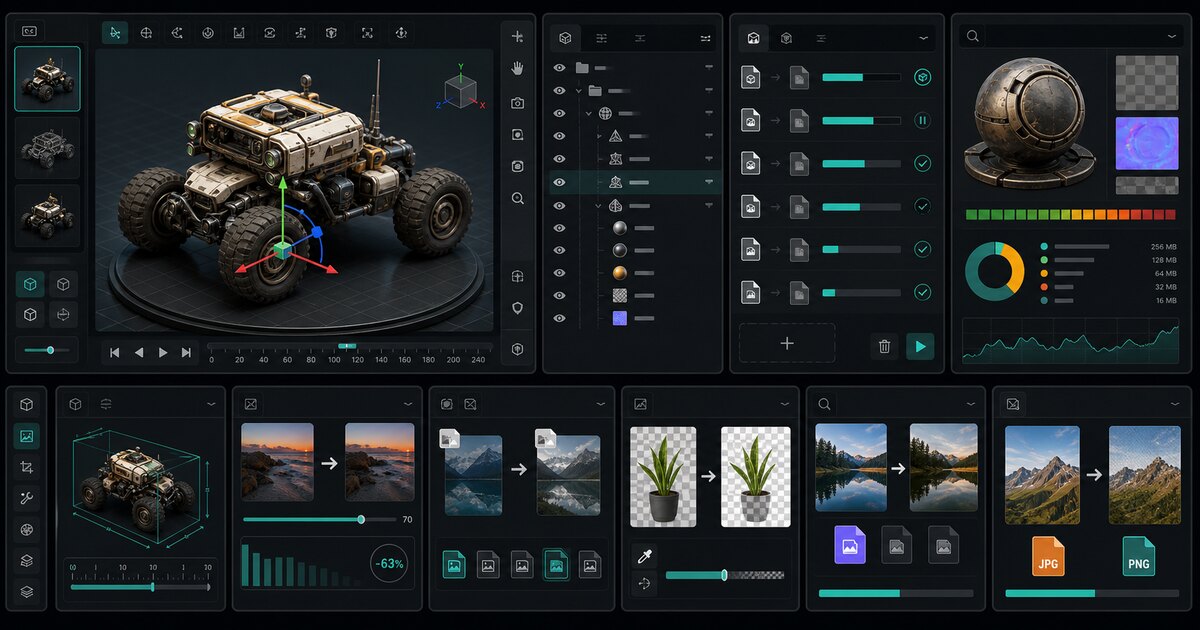
Inspect GLB, OBJ, STL, and FBX models locally.
Arrange models, transform selections, and export GLB, glTF, OBJ, PLY, or STL locally.
Check GLB structure, scenes, meshes, materials, and animations.
Convert 3MF, GLB, glTF, OBJ, PLY, and STL locally.
Verify texture dimensions and GPU memory before export.
Calculate real-world model scale before import.
Turn an image into a printable STL heightmap locally.
Generate a 3D model from an image, then export GLB.
Generate GLB geometry from a photo in the hosted workspace.
Generate a 3D mesh from a PNG source image.
Make a 3D model from a single photo.
Photo3D puts 40+ image-to-3D model lanes, per-model credit pricing, saved task history, and a 50+ tool browser workbench in one workspace.
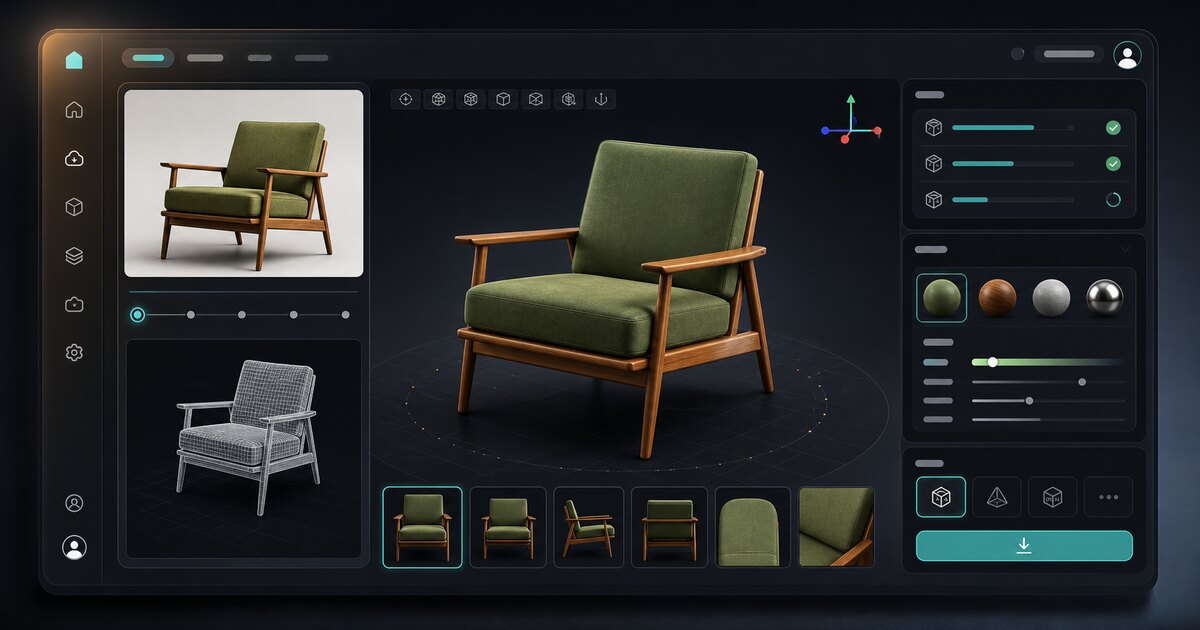
Generate textured 3D drafts from one product photo, object image, or concept reference.
Route one photo through any of the 40+ model lanes, from Trellis and Hunyuan 3D to Tripo3D, Rodin, and Meshy, and keep whichever reconstruction you prefer.
Add front, back, left, and right references on the lanes that accept them, so hidden sides and thin parts are less of a guess.
Every model lane lists its own credit price up front, from 70-credit TripoSR drafts to 800-credit Meshy 6 passes.
Finished jobs return a downloadable GLB with its texture set, and the task stays in account history for side-by-side comparison.
Inspect, convert, scale, texture-check, and compress GLB, OBJ, STL, PLY, and FBX files locally without spending credits.
Upload a source image, generate a 3D draft, inspect geometry and textures, then export the GLB when the result is ready.
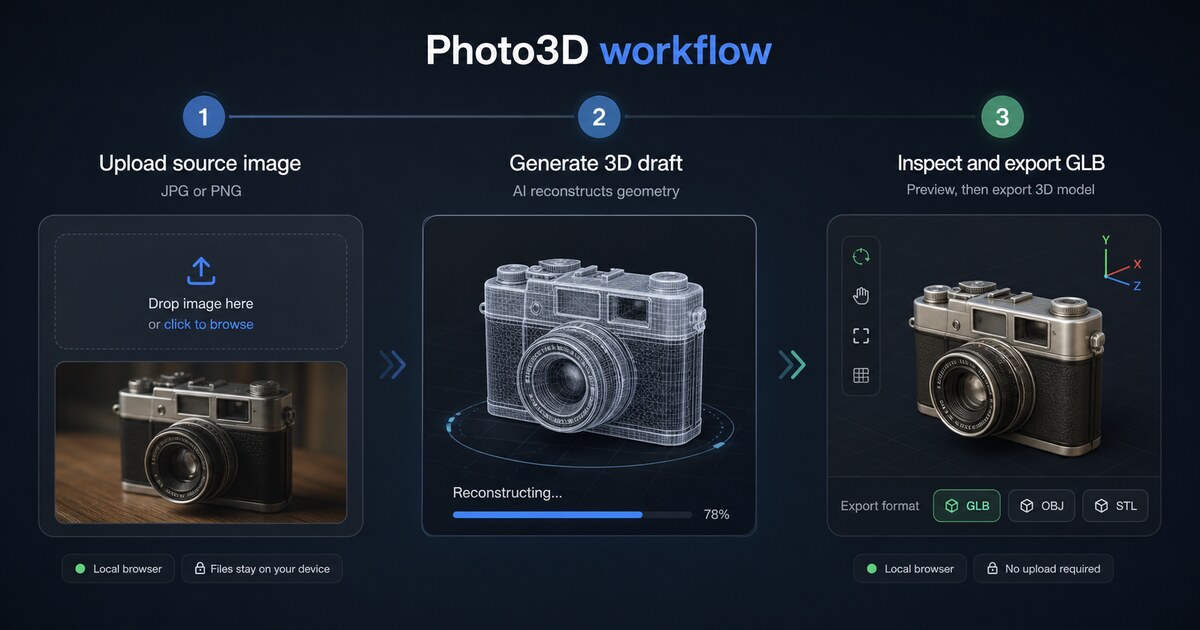
Start image to 3D with a public image URL or an uploaded product, character, object, or concept reference.
Use Photo3D for high-fidelity image-to-3D generation, then compare reconstruction settings before export.
Check geometry, texture recovery, and output readiness before downloading the GLB.
Open or download GLB models from the workspace or account activity after the 3D pass is approved.
Fast answers about local 3D tools, browser previews, file preparation, accounts, rights, and support.
photo3d.org turns one photo into a textured 3D model you can download as GLB. You choose from 40+ model lanes, including Trellis, Hunyuan 3D, Tripo3D, Rodin, and Meshy, and the workspace queues the job against your account.
No for local Free Tools and browser previews. Sign in only when you want saved generation history, account credits, or managed AI 3D tasks.
If you already have a photo, start with the generator at the top of this page. The Free Tools are best used afterwards to check scale, textures, and file format before you hand the model on.
Yes. The 50+ viewer, editor, inspector, conversion, texture, scale, compression, and image tools run inside your browser, never upload your files to a server, and never spend generation credits.
Center the object, use a plain background, and keep the whole silhouette in frame. photo3d.org reads GLB, glTF, OBJ, STL, PLY, FBX, 3MF, PNG, JPG, and WebP, so you can verify texture memory and real-world scale before paying for a run.
It depends on which model lane produced the file, the provider terms behind that lane, and what rights you hold in the source photo. photo3d.org does not claim ownership of your uploads, but check those terms before shipping a GLB in a product, game, ad, or client deliverable.
Email support@photo3d.org with your account address and the task ID from your activity list. Failed photo 3D runs are reviewed for a credit refund under the Refund Policy.
Need help? Email support@photo3d.org
Upload an image, review the 3D pass, and download a GLB from the hosted workspace when you need account-backed generation.
Selected model
Shap-E
Image or text to lightweight 3D result.
Reference image
Upload a local image or paste a public URL below. The public queue still runs best effort.
Upload JPG, PNG, WebP, GIF, or AVIF up to 10MB, or paste a public image URL.
No sign-in and no credits for public queue tests. Public GPUs can sleep, throttle, or wait behind other jobs.
Input check
Active queue IDs stay in this browser until the job finishes or expires.
No queued output yet
Start a public queue job. The result appears here by itself when the model finishes.
Shap-E